
- Rewind, don't restart. Hold undo to step back as far as you like. Reset only when the whole board is a mess.
- Leave and come back. No puzzle blocks the other worlds, and reviewers and players alike say that solutions often click after a break.
- Find what you missed. Unsolved puzzles blink pink on the overworld. Locked birdcages show an arrow to the puzzle they need, and red plaques mean "much later".
- Rule out a bug. If the exit won't light, a restart gives you the wrong number of stones, or your progress went backwards, check the bug table before you keep trying.
Undo, reset and other controls
The game has no fail state and no time limit. Every review we read stresses that undo and reset are instant. Some keys below come from individual player reports rather than official documentation, so check your in-game control settings if one doesn't work.
| Action | Input | Notes |
|---|---|---|
| Undo / rewind | Z on keyboard (player report) | Hold to keep rewinding, as far back as you like (GamingTrend, SteamDeckHQ). Instant, no loading. |
| Reset puzzle | R on keyboard (player report) | Puts the whole puzzle back to its start. |
| Redo | Not available | Requested on Steam (October 11). Undo is one-way, so don't rewind far just to look at an earlier state. |
| Speed up time | R2 on controller | A bug that stopped it working after your first solve if you started with Skipping Stones was fixed on October 9. |
| Move faster | Shift (player report) | Tapping directions in quick succession also moves you faster. A player says this is intended, not a diagonal-speed glitch. |
| Zoom out | Camera zoom | Only works once you have picked up the map for that area. |
| Subtitles | Settings → Sound | Off by default on PC and on by default on Switch 2, according to a player on both versions. |
Steam Deck players: SteamDeckHQ's preview recommends the D-pad for grid movement. It also found that the "Performance" graphics preset holds 30 fps, while "Balanced" and "Quality" often drop below that. That preview used the Next Fest demo, before the game was Steam Deck Verified.
Finding unsolved and locked puzzles
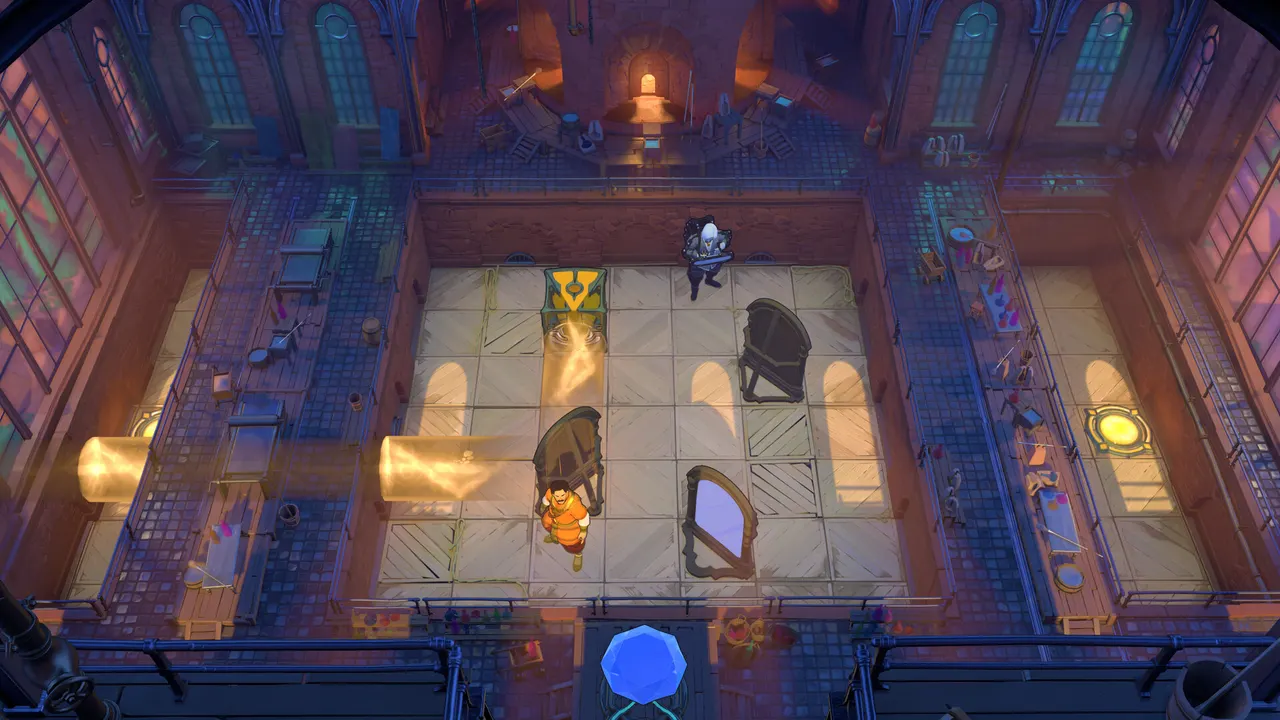
- Pink lights = unsolved. Unsolved puzzles blink pink on the overworld. On a big map the lights are tiny, so zoom in on an area to spot them (Steam forum, October 11).
- Birdcages = locks. Some overworld objects are locked until you finish a specific puzzle. Walk up to the birdcage-like lock, and an arrow points to the puzzle it needs. Puzzles themselves never need an ability from elsewhere: if you can enter a puzzle, you can solve it (two Steam players, October 11).
- Red plaques = later layer. A Steam player explains that a red plaque marks a much later layer of the game. If a door with one seems impossible, it probably is for now.
- Gold Rooms need sets of puzzles. If a Gold Room won't open, you are usually missing puzzles in one of its two worlds. See the Gold Room route.
- Optional treasures look like missing progress. The first Skipping Stones map has six hidden treasures. A player who re-entered after collecting the orb found it had respawned out of reach. Treasures depend on how you solve earlier screens, and later Stones maps teach the tricks, so you can move on and return later (Steam forum, October 12).
A hint ladder before you look up a solution
The game gives no hints. Reviewers at GamingTrend and AltChar both call that the biggest hurdle. Try these steps in order, and look something up only after the last one fails:
- Name the goal. What has to end where: the exit, a gem, a stone on a pad? In Skipping Stones, listen to the dialogue, because it states the goal and how many items you need.
- Work backwards. Picture the final move, then the move before it. The player who finished the Endgame gave exactly this advice.
- Find the piece that "does nothing". Several Steam solutions came from a crystal or mirror that looked pointless. One player realised a crystal rock can fill a pit and make ground.
- Check what can't be undone. Pushing a stone into a corner, a teleport you can't reverse, a lily pad that drifts away. Find the one-way moves first, because they decide the order.
- Sleep on it. Nintendo Life's reviewer had solutions pop into their head away from the console. Steam players report the same.
General hint: "the exit isn't lit" in a combined area
Players reported this in an Antipode puzzle on October 12, and nobody has confirmed a cause yet. Our suggestion, not a confirmed fix: check whether a second pad, gem slot or character also has to be in place before the exit lights. If you are sure everything is done, use reset rather than undo, in case a rewind left a character in a bad state (see the crystal bug below).
Known bugs that look like being stuck
Each row comes from Steam Community threads or the developer's patch notes, with the date and the number of reports we found. "Fixed" means the developer listed it in patch notes. "Workaround" means a player reported something that worked for them.
| Symptom | What helped | Source / reports | Status |
|---|---|---|---|
| Progress keeps reverting to what you did in the demo | A reply points at loading the old demo save. Avoid loading demo progress, and back up your save folder until this is patched. | Steam thread, Oct 12 (1 report) | Open |
| "Mirror Isles" campaign achievement won't unlock (also the HxM Gold Room achievement) | Happens if you cleared those puzzles in the demo. A reply posted for the team says a fix is coming and will award the missing achievement the next time you start the game. | Steam thread, Oct 10–12 (4+ players) | Fix promised |
| Game won't launch: "An application control policy has blocked this file (0x11C7)" | The reporter fixed it by adding the game to Windows Security's exclusions. Only exclude the game's own install folder, never a whole drive. | Steam thread, Oct 12 (1 report) | Workaround |
| Crash: "Error: Too many decals!" / DirectX 12 call failed (E_INVALIDARG) | No confirmed fix. Players suggested verifying the game files in Steam, lowering graphics settings and updating GPU drivers. The reporter lost progress in one large level. | Steam thread, Oct 10 (1 report) | Open |
| After a crash, the game reloads with a hero in the wrong place and a monster moved | No fix or workaround yet (reported on Steam Deck in the Heroes region, after the game crashed while a costume was equipped). Report it in the Steam forum thread so the developer sees it. | Steam thread, Oct 12 (1 report) | Open |
| Skipping Stones: restarting leaves you with only one stone | The October 9 patch fixed "bad checkpointing in a few Skipping Stones levels". Make sure the game is updated. If it still happens, report the level. | Patch notes Oct 9; Steam thread Oct 12 (1 report) | Partly fixed |
| After rewinding, a character that was turned to crystal can't be controlled | Resetting the puzzle restores control. | Steam thread, Oct 12 (1 report, combined area) | Workaround |
| Can't undo while riding something (a "Rover") | Fixed in the October 9 update. | Patch notes Oct 9 | Fixed |
| Won't start on older Steam clients or Proton (Linux / Steam Deck) | The October 9 update downgraded the Steam SDK. The game now needs SteamClient021, or Proton 9 or newer. | Patch notes Oct 9 | Fixed |
| Subtitles flash by or appear out of order | No fix yet. Most noticeable in Skipping Stones dialogue. A separate report says English subtitles for audio recordings use the wrong timing. | Steam threads, Oct 11–12 (2 reports) | Open |
"Reports" counts separate Steam threads and players confirming the same problem, as of October 12, 2026. It is not an official bug list. The developer's patch notes also mention "various fixes that seem too spoilery to put in patch notes".
If you want full solutions
We don't post move-by-move solutions. On October 11, a player shared a free community puzzle map on the Steam forums (sinkingstar.wikitactics.com (opens external site)). It lists 920 overworld puzzles by area, with hints before solutions, and had step-by-step solutions for 651 of them at the time. We have not checked it ourselves. Replies in the same thread report that a few solutions were wrong (for example "Cart, Rod 1 and 2" and "Heroes and Light 12") and that Skipping Stones was not covered yet. If you use it, open the hint first and stop there if you can.
Sources, all checked October 12, 2026: the developer's "Update notes for October 9"; reviews by GamingTrend, AltChar, Nintendo Life and SteamDeckHQ (demo preview); and Steam Community General Discussions threads dated October 10–12. We name a thread's date wherever it backs up a fix. This site has not hands-on tested these fixes.